
Does a VPN reduce ping? Sometimes, but only when your internet provider is sending your traffic on a bad route to the game server. Ping is distance plus route quality, not download speed, so paying for a faster plan usually changes nothing in a match. Most of the time a VPN adds a few milliseconds instead of cutting them, which is why the server you pick matters far more than the app you tap it in.
Table of Contents
What Actually Decides Your Ping
Ping is a round trip, measured in milliseconds. Your device sends a packet to the game server and the clock stops when the reply lands. Bandwidth never enters the maths.
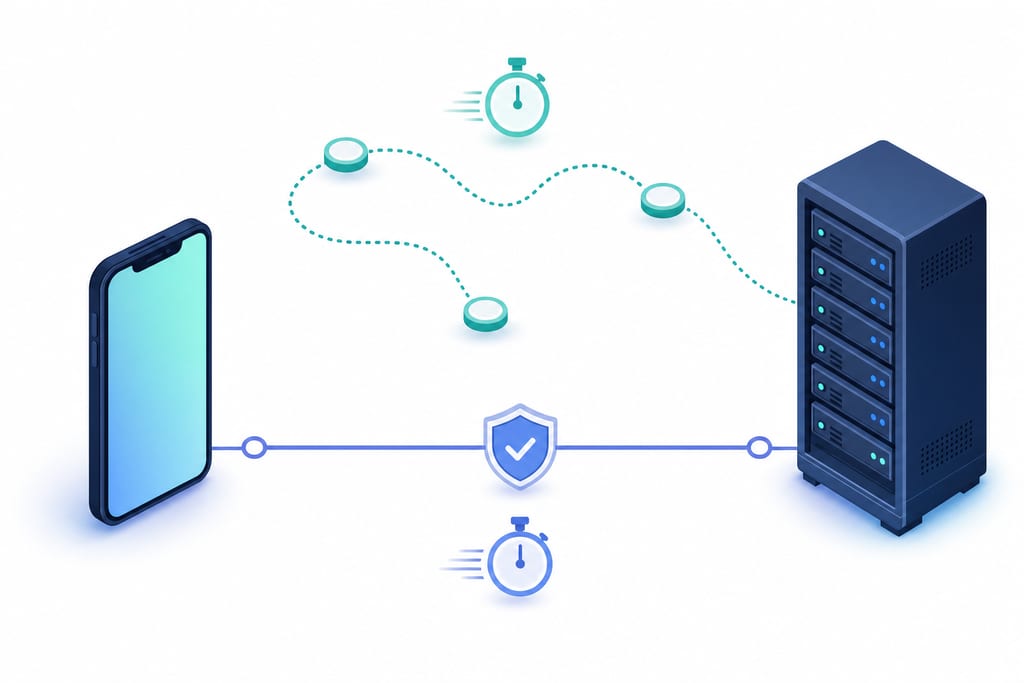
Four things set that number. The physical distance to the game server, the route your ISP chooses to get there, congestion on any hop along the way, and the last stretch inside your home, hotel or cafe. A VPN can only change the route, never the distance or the Wi-Fi in the room you are sitting in.
| Factor | Can a VPN change it | What fixes it instead |
|---|---|---|
| Distance to game server | No | Pick a closer game region |
| ISP routing and peering | Yes | A different path to the host |
| Network congestion | Sometimes | Play off peak hours |
| Wi-Fi or 5G last hop | No | Move closer, use 5 GHz |
Bad Wi-Fi rarely shows up as a higher average. It shows up as jitter, where ping sits at 40 ms then jumps to 300 ms mid fight. Under 50 ms feels instant in a shooter, 100 ms is noticeable when you peek a corner, and 200 ms barely registers in a turn-based card game.
When a VPN Genuinely Cuts Lag
Rerouting helps when the default path is the problem, not the hardware. If your provider hands your traffic to a badly peered network and it loops through another city before reaching the host, a different route can shave real milliseconds off.
Four situations where connecting is worth a try:
- Your ISP peers poorly with the game host and the route takes a long detour.
- Your connection is throttled at peak hours, including some mobile data plans that squeeze game traffic.
- Hotel and cafe Wi-Fi that blocks or deprioritises game ports, which is common on captive portal networks.
- Your traffic crosses a congested exchange point during evening hours.
It will not help if you already reach a nearby data centre over clean fibre. The extra hop can only add time there. It also does nothing for microwave interference, a router with twenty devices on it, or a phone throttling itself because it is hot.
One rule worth keeping: never switch regions to change matchmaking or get cheaper store pricing, because that can break a publisher’s rules. More on where the lines sit in VPN use and game bans.
Test It Yourself in One Match
Your own connection is the only test that counts. Run a baseline first, then repeat it connected, at the same hour on the same network.
Here is a short video on the same idea before you run your own numbers.
- Play three matches with the VPN off and write down the ping readout in each one.
- Choose the server closest to the game’s region, not the one closest to you.
- Play the same three matches connected, same time of day, same network.
- Compare the averages, then compare the worst spike in each set.
Jitter deserves as much attention as the average. A steady 70 ms gives you better prediction than a 45 ms line that jumps to 180 ms every thirty seconds.
Since GamingVPN is free with ads on iPhone, iPad and Apple silicon Macs with no account to create, the whole test takes about twenty minutes. What you see at the end depends on your line and the server you picked.
Check Where Your Ping Goes Bad First
Look at where your connection falls apart. If the number is ugly at home, on hotel Wi-Fi and on mobile data alike, the cause is distance or hardware, and no reroute fixes that, so sort it before anything else. If home is clean and the cafe or hotel lobby is not, a different path is the one thing left worth testing. Do that check before you spend a cent, then decide. GamingVPN is on the App Store for iPhone, iPad and Apple silicon Macs.
VPNs and Your Ping
Will running a VPN drain my iPhone battery faster during long sessions?
Yes, a little. Encrypting traffic and keeping a tunnel open uses extra CPU, so a two hour session costs more battery than playing direct. The difference is small next to the screen and the game itself. Disconnect when you stop playing, and keep the phone cool, since heat makes the chip throttle.
Can my internet provider still see that I am gaming while the VPN is on?
Your provider can see that you are connected to a VPN server and how much data is moving, but not which game, site or app you are using. Destinations and content stay inside the tunnel. On hotel or cafe Wi-Fi, whoever runs that network sees the same limited picture.
What should I do if my ping gets worse the moment I connect?
Disconnect and play one match direct to confirm the connection is the cause. If it is, switch to a server in the game’s region rather than the one nearest your seat, then try again at the same hour on the same network. If nothing beats the direct line, your route was already clean.